Ultimate Skyblock Server Setup | Minecraft Skyblock Server Files
Install the ZCraft Studios Ultimate Skyblock Minecraft setup with a custom texture pack, Skyblock gameplay configuration and Paper/Purpur compatibility.
Ultimate Skyblock Server Setup for Minecraft
The Ultimate Skyblock Server Setup is a ready-made Minecraft Skyblock server package intended to give server owners a configured starting point rather than building every system and file from scratch. The current product catalogue lists Minecraft 26.1.2 and 26.2, with a custom texture pack, Skyblock gameplay setup and ready-to-use server configuration files.
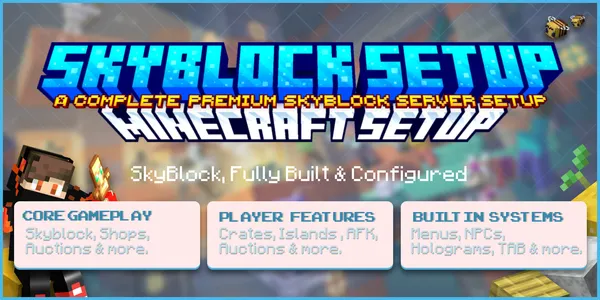
At a glance
| Details | |
|---|---|
| Resource type | Complete Minecraft Skyblock server setup |
| Minecraft versions | 26.1.2 and 26.2 |
| Server software | Paper and Purpur |
| Included areas | Skyblock gameplay setup, server configurations, English configuration and a custom texture pack |
| Main use | Start from a configured Skyblock foundation and customize it for your network |
| Recommended install | Fresh test server or staging copy before production |
Check the current BuiltByBit listing and included README for exact release contents, versions and dependencies.
See the current Ultimate Skyblock Server Setup listing on BuiltByBit for the latest release, exact files, screenshots and supported versions.
What the setup provides
The current product catalogue lists:
- A complete Skyblock gameplay setup
- A custom texture pack
- Ready-to-use server configuration files
- English configuration
- Paper and Purpur support
- A built-in testing server for local preview before deployment
Inspect the included README and archive structure before importing the setup. Follow its instructions for the server files and texture pack rather than assuming a folder layout.
Compatibility
The current product catalogue lists Minecraft 26.1.2 and 26.2, tested on Paper and Purpur. Other versions are not confirmed. Compatibility also depends on bundled plugin builds, so check the README before deploying.
Before installing
- Prepare a clean test server or staging copy.
- Back up your existing server files, plugin configuration directories and server properties.
- Review the README and the full archive structure.
- Check whether any bundled plugin requires a separate download or licence.
- Confirm the resource-pack delivery method and server settings.
Installation workflow
Back up your existing server
Save the current worlds, plugins directory, server configuration and custom resource-pack setup. Do not import over a live server without a recovery copy.
Extract and inspect the archive
Review the README and identify the supplied server configuration, texture pack and any additional components.
Copy files according to the README
Place the supplied files at their documented destinations. Do not guess folder mappings or overwrite unrelated production data.
Configure the resource pack
Follow the included instructions to host or serve the resource pack and configure the server or resource-pack plugin to deliver it to players.
Start and verify the server
Start the server, check the console for missing dependencies or configuration errors, then join and test the Skyblock gameplay flow.
Post-install checks
- Confirm the Skyblock gameplay and island setup load as described in the README.
- Check that every required plugin enables without errors.
- Verify menus, island progression and economy-related features described in the release README.
- Confirm the resource pack downloads and renders correctly.
- Test permissions and player commands with a non-operator account.
- Review performance on a staging server before opening to players.
Troubleshooting
| Symptom | What to check |
|---|---|
| Server fails to start | Check the first plugin or Java error in the console and confirm the required server and Java versions. |
| Skyblock features are missing | Check the README's installation steps and confirm the supplied server configuration was copied to the correct location. |
| Menus or features are missing | Check that every required plugin is installed and enabled, and that its configuration folder was copied. |
| Resource pack does not load | Verify the pack file, hosting URL and server resource-pack settings described in the README. |
| Players lack access | Review permissions and group assignments for the relevant commands and features. |
Related resources
- LifeSteal Server Setup
- Kingdom SMP Survival Setup
- Installing a complete server setup
- Minecraft plugin compatibility