LifeSteal Server Setup | Minecraft Teams & Economy Server
Explore the ZCraft Studios LifeSteal Minecraft setup: teams, economy, crates, PvP, auction house, trading and Paper/Spigot compatibility.
LifeSteal Server Setup: Teams, Economy and PvP
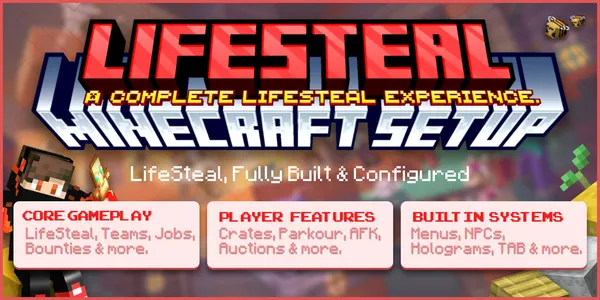
The ZCraft Studios LifeSteal Server Setup is a configured Minecraft server package built around a LifeSteal gameplay mode. Its product description combines the core LifeSteal experience with teams, economy, custom menus, rewards, player activities and server administration systems.
At a glance
| Details | |
|---|---|
| Resource type | Complete Minecraft LifeSteal server setup |
| Minecraft versions | 26.1.2 and 26.2 |
| Server software | Paper and Spigot |
| Gameplay focus | LifeSteal, teams, PvP, economy and player progression |
| Included systems | Crates, jobs, menus, auction house, trading, activities, homes and staff tools |
| Recommended install | Fresh test server or staging copy before production |
Use the current BuiltByBit listing and included README to confirm exact files, versions and dependencies.
See the LifeSteal Server Setup listing on BuiltByBit for the current release, exact contents, screenshots and supported versions.
Gameplay and included systems
The product listing describes a package that includes:
- LifeSteal gameplay: the core mode and its player progression.
- Teams: systems for players to form and manage teams.
- Economy: player economy and related progression systems.
- Crates and rewards: a dedicated reward area and crate-based rewards.
- Jobs and activities: additional ways for players to earn or progress.
- Custom menus: configured interfaces for gameplay systems.
- Auction house and player trading: player-to-player item exchange.
- Bounty and parkour systems: additional activities and competitive features.
- Random teleport, homes and warps: navigation and survival convenience.
- Anti-cheat and combat logging: server-management and PvP support systems.
- Leaderboards, ranks and permissions: tools for player progression and administration.
- NPCs and presentation: configured NPCs and supporting server presentation.
The listing credits the spawn map to Artillex Studios. Review the product's licence and included credits before reusing assets outside the permitted scope.
Compatibility
The current product catalogue lists Minecraft 26.1.2 and 26.2, with Paper and Spigot as supported server software. Confirm the bundled plugin builds and release-specific requirements in the README before installation.
Before installing
This is a complete server setup, not a single plugin configuration. It can replace worlds and multiple plugin folders.
- Back up all current worlds and plugin data.
- Use a fresh test server where possible.
- Review the included README and folder mapping.
- Check each bundled plugin's version and licence requirements.
- Confirm whether any external dependencies or separate downloads are required.
Installation workflow
Back up the current server
Save worlds, plugin configurations, server properties, permissions and custom resource packs.
Extract and inspect the package
Read the included README and identify the world folder, plugin directories, menus and other assets.
Copy the setup files
Follow the documented folder mapping. Avoid blindly overwriting unrelated production files.
Check plugins and dependencies
Confirm every required plugin is present, compatible with your Minecraft version and enabled successfully.
Start and test gameplay
Start the server and test LifeSteal progression, teams, economy, menus, crates, player trading and staff permissions.
Post-install verification
Before inviting players, test new-player spawn and onboarding, LifeSteal progression and team interactions, economy transactions, shops and auction house, crate rewards and reward commands, player trading, homes and random teleport, PvP behavior and combat logging, staff permissions and anti-cheat alerts, and resource-pack/NPC presentation.
Troubleshooting
| Symptom | What to check |
|---|---|
| Server does not start | Check Java, server version and the first plugin startup error. |
| A menu is missing | Verify its plugin is installed, enabled and has the supplied configuration. |
| Economy features fail | Confirm Vault and the configured economy provider are present where required. |
| Commands are denied | Review LuckPerms groups and permission nodes described by the included plugins. |
| Crates or rewards do not work | Check the crate plugin, reward commands, item dependencies and console output. |
| Spawn or world is wrong | Verify the world folder mapping and server world configuration. |
Related resources
- Ultimate Skyblock Server Setup
- Kingdom SMP Survival Setup
- Minecraft plugin compatibility
- Installing a complete server setup