Minecraft Maintenance MOTD Config | Modern Maintenance Messages
Install the ZCraft Studios Minecraft maintenance MOTD config with MiniMessage gradients, countdown-ready text and staff notices.
Modern Maintenance Messages Config for Minecraft Servers
The Modern Maintenance Messages Config is a ready-made configuration for the Maintenance plugin. It gives your Minecraft server a polished maintenance-mode presentation, including a styled server-list MOTD, hover text, countdown-ready messages and matching command language.
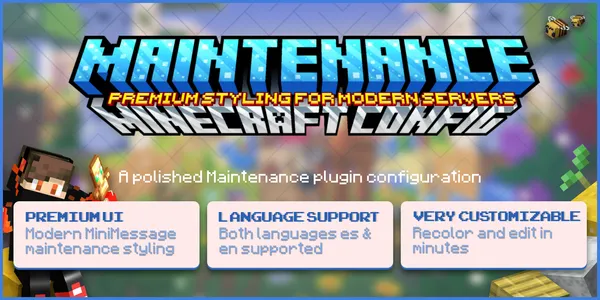
The pack is designed for backend standalone use and keeps proxy-only options empty by default. The Maintenance plugin itself is not included.
At a glance
| Details | |
|---|---|
| Resource type | Maintenance plugin configuration pack |
| Required plugin | Maintenance plugin, installed separately |
| Main features | Server-list MOTD, hover text, countdown-ready wording and staff notices |
| Formatting | MiniMessage colors, gradients and text styling |
| Intended setup | Standalone backend server; proxy-only options are empty by default |
Check the current listing and README for exact file names, plugin compatibility and setup instructions before replacing an existing configuration.
Get the current download from Modern Maintenance Messages Config on BuiltByBit or browse the ZCraft Studios product catalog. Support is available through the ZCraft Studios Discord.
What the config is designed to do
- Give the server list a branded maintenance MOTD with gradient title text
- Display concise maintenance wording and custom hover information
- Provide timer-ready text for countdown-based reopening notices
- Customize player-count and version-area text for community or status information
- Style maintenance command messages with a consistent prefix
- Support staff join notifications and timer broadcasts
- Allow online players to be kicked when maintenance is enabled
- Keep MySQL disabled by default for a simpler standalone setup
- Use MiniMessage colors, gradients, bold text and small-text labels
Included files
| File | Purpose |
|---|---|
| Main configuration | Styled Maintenance plugin configuration; check the README for the exact filename |
| Language file | English maintenance language file; check the README for the exact filename |
Check the actual downloaded archive and its README for exact spelling and paths before copying files.
Compatibility and requirements
The current product catalogue lists Paper and Spigot as supported server software but does not specify Minecraft versions. Confirm that your installed Maintenance plugin build supports your exact server version before installing. The pack is described as a standalone backend configuration; review the README before using it in a proxy network.
You need:
- The Maintenance plugin installed and working
- Access to the target server's plugin configuration directory
- Permission to edit configuration files and restart or reload the server
- A backup of your existing maintenance configuration
Installation
Install and start the target plugin
Install the Maintenance plugin version appropriate for your server. Start the server once so its configuration folder is generated.
Back up your current files
Copy the existing configuration and language files somewhere safe.
Inspect the downloaded archive
Read the included README and confirm the exact file names and destination paths. The product archive is the authority if a filename differs from this page.
Copy the configuration
Place the supplied config and language file in the Maintenance plugin's folder, preserving the directory structure described by the README.
Restart and test
Restart the server or use the plugin's documented reload command. Enable maintenance mode and inspect the server list, hover message, join behavior and staff notices.
Customizing the maintenance design
- Gradient and accent colors: edit the MiniMessage hex colors in the relevant text values.
- MOTD wording: customize the server-list title and maintenance explanation.
- Countdown text: connect the timer-ready placeholders to the timer feature supported by your Maintenance plugin.
- Community details: replace example Discord, status or player-count text with your own values.
- Staff messages: adjust the join notification and maintenance command language.
Preserve plugin placeholders and MiniMessage tags. A placeholder only works if the target plugin supports it and the relevant feature is enabled.
Troubleshooting
| Symptom | What to check |
|---|---|
| MOTD still looks unchanged | Confirm the correct file was copied to the Maintenance plugin folder and restart or reload as documented. |
| Gradient or tags appear literally | Check whether your Maintenance plugin build supports MiniMessage and whether tags are closed correctly. |
| Countdown shows placeholder text | Confirm the timer feature is enabled and the placeholder matches the plugin version. |
| Maintenance mode does not kick players | Check the plugin's kick-online-player setting and permissions. |
| Proxy behavior is unexpected | Review the plugin's proxy settings and the product README; this config is designed with standalone backend defaults. |